Social
Feel It
Reading feelings in social situations: how a person feels, why, and what to say
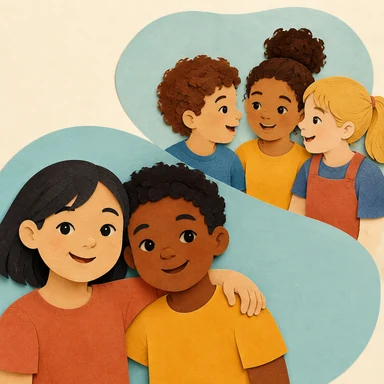
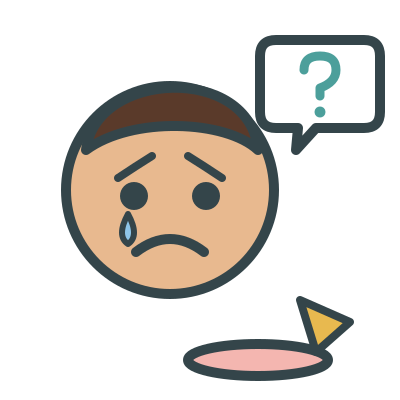
The learner sees a picture of a social situation, for example a girl whose ice cream fell. Then the learner hears a recorded question about the picture: “How does the girl feel?”, “Why is she sad?”, or “What could you say to her?” The learner taps one of 3 answer cards. Or the learner speaks the answer, and you score it. There are 12 pictures, with 2 or 3 pictures for each of 5 feelings: happy, sad, mad, scared, and surprised.
When
- Teach feelings from faces. Then teach feelings from the events in the picture.
- Practice “why” questions about a picture. The reason is clearly visible.
- Practice what to say to a friend who is sad, scared, or excited. With Say it, the learner speaks the words.
Why
- In each picture, one child shows the feeling, and the cause is clearly visible. Each feeling is in 2 or 3 pictures with different children and places. The face is the cue, not the setting.
- Each feeling has one face. The brows and mouth change, and the child stays the same. A face card shows only the feeling.
- Each reason card has a drawing of the cause, for example a dropped ice cream or a balloon that floats away. The drawings show no feelings, so the face in the picture stays the cue. Each drawing is different from the picture (a teal balloon for a red balloon). The learner cannot match a card to the picture by how it looks.
- Each incorrect answer is a correct answer from a picture with a different feeling. No incorrect answer can also be correct, and the tool never gives an unkind or silly line. Answers never say he or she, so the pronoun cannot give the answer.
- The question and the choices are recordings, so they sound the same each time. The correct answer changes position on the cards. It is never in the same position 3 times in sequence.
- If the learner taps an incorrect card, the card fades and the correct card pulses. This is a prompt. The app does not score it as correct.
How
- On the setup screen, select a level:
- How they feel — “How does the girl feel?” The learner selects the correct face: happy, sad, mad, scared, or surprised.
- Why — “Why is she sad?” The learner selects the reason. The picture shows the reason.
- What to say — “What could you say to her?” The learner selects the correct words for the feeling, for example “Oh no! Are you okay?”
- All three — One picture with all 3 questions in sequence: how the child feels, why, and what to say. This is similar to a conversation card.
- In More settings, under Answer, select:
- Tap the answer — The learner taps an answer card. The app scores the first tap.
- Say it — The app hides the answer cards. The learner speaks the answer. Then tap Correct, Prompted, or Incorrect. The app shows the answer to you in small text.
- With Tap the answer, also select Choices (3 choices or 2 choices) and Read the choices aloud (On or Off).
- In More settings, under Praise, select:
- On — After a correct answer, the app also plays a short praise phrase, for example “Great job!”
- Off — After a correct answer, the app shows the star and goes to the next turn. The app plays no praise.
- Tap Play. The app plays the question immediately. To hear the question again, tap the speaker button. The question also shows as text next to the button.
- With Tap the answer, let the learner tap a card. If the answer is correct, the learner gets a star, and the next question starts. If the answer is incorrect, the app prompts the correct card.
- With Say it, listen to the learner. Then tap Correct, Prompted, or Incorrect. The tool makes no sound, so you give the feedback.
- Use Skip, Log, Reset count, and End the same way as in Find It. Each round has 6 questions. Next time in the Log brings that picture back in the next round.
Saved to the dashboard: The first answer to each question, and skips. Each question is a target (Why is she sad? (ice cream)). The most frequent errors show the answer that the learner tapped, or Prompted with Say it. These changes start a new phase on the graph: a change of level, a change of the number of choices, and a change between Tap the answer and Say it.